Learn everything about the DLIMS Punjab Verification System — how it works, required documents, benefits, and step-by-step online license checks. Visit Apk eSim for more guides.
If you live in Punjab and own a driving license, you’ve probably heard the term DLIMS Punjab Verification System. But what exactly is it, and why does it matter?
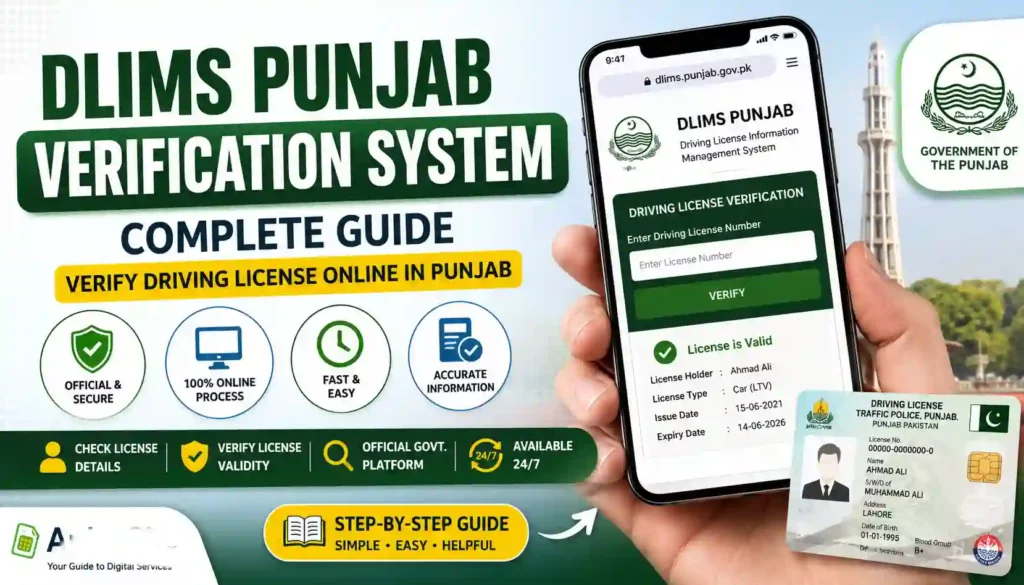
DLIMS stands for Driving License Information Management System. It’s a digital platform built by the Punjab government, in collaboration with the Punjab Information Technology Board (PITB) and Punjab Traffic Police, to manage everything related to driving licenses in the province.
Think of it as an online hub where you can:
- Check if your driving license is genuine
- Track your license application status
- Verify someone else’s license details
- Apply for a new license or renew an old one
Gone are the days of standing in long queues at traffic offices just to confirm a license number. With DLIMS, the entire process moves to your phone or computer screen.
This guide breaks down how the DLIMS Punjab Verification System works, what documents you’ll need, the benefits it offers, and answers to common questions people ask. We’ve kept the language simple so anyone — tech-savvy or not — can follow along easily.
Why Was DLIMS Punjab Created?
Before DLIMS, driving license records in Punjab were scattered across different offices and often managed on paper. This created problems like:
- Fake or duplicate licenses being issued
- Long delays in verification
- Difficulty tracking application status
- No central database for authorities to check records quickly
DLIMS was introduced to centralize all this information into one secure digital system. Now, whether you’re in Lahore, Rawalpindi, Multan, or any other city in Punjab, your license data sits in the same database and can be verified instantly online.
How Does the DLIMS Punjab Verification System Work?
The process is designed to be simple, even for first-time users. Here’s the general flow:
- Visit the official DLIMS Punjab portal
- Enter your details — usually your CNIC number, license number, or tracking ID
- Complete the captcha for security verification
- View your results — including license status, validity, and category
Once submitted, the system pulls up details such as:
- Full name and father’s name
- CNIC number
- City of issuance
- License number
- Issue and expiry dates
- Vehicle categories allowed (bike, car, heavy vehicle, etc.)
- Current status (valid, expired, or under process)
This makes it easy for individuals, employers, and even transport companies to confirm that a license is authentic before relying on it.
Basic Information Table
Here’s a quick snapshot of the DLIMS Punjab system for easy reference:
| Detail | Information |
|---|---|
| Full Name | Driving License Information Management System (DLIMS) |
| Managed By | Punjab Information Technology Board (PITB) & Punjab Traffic Police |
| Purpose | Online driving license verification, tracking, and management |
| Available For | Residents of Punjab, Pakistan |
| Access Mode | Website and mobile app |
| Services Offered | License verification, application tracking, renewal, upgrade |
| Cost | Verification is generally free; license fees apply for issuance/renewal |
| Availability | 24/7 online access |
Note: Fees and specific procedures may change over time, so always confirm current details on the official portal before proceeding.
Who Can Use DLIMS Punjab?
The system isn’t just for license holders. Several groups benefit from it:
- Individuals wanting to check their own license status
- Employers verifying a driver’s credentials before hiring
- Transport companies confirming their fleet drivers are properly licensed
- Traffic police cross-checking license authenticity during checks
- Vehicle owners who want to confirm a hired driver’s license is valid
Because the platform is open to the public, anyone with basic internet access can perform a check.
Required Documents for DLIMS Verification
Before you start the verification or application process, it helps to have a few things ready. Here’s a simple checklist:
For License Verification:
- CNIC number (Computerized National Identity Card)
- License number (if you already have a license)
- Tracking ID (if checking an application status)
For New License Application or Renewal:
- Original CNIC (copy and original for physical steps)
- Passport-size photographs
- Proof of residence (utility bill or similar document)
- Medical certificate (in some cases, especially for heavy vehicle licenses)
- Previous license copy (for renewals or upgrades)
- Payment receipt (PSID) for the applicable fee
Keeping these documents handy speeds up the entire process and reduces the chances of delays or rejection.
Benefits of Using DLIMS Punjab Verification System
Let’s look at why this system is genuinely useful for everyday people:
1. Saves Time
No more waiting in long lines at licensing offices. Verification takes just a few minutes online.
2. Reduces Fraud
Since all license records sit in one centralized database, it becomes much harder for fake licenses to pass verification.
3. Easy Application Tracking
Applicants can check exactly where their application stands — submitted, under process, or ready for collection.
4. Accessible Anytime
The portal works round the clock, so you’re not limited to office hours.
5. Supports Multiple License Types
Whether it’s a learner’s permit, a regular license, or a heavy vehicle license, the system covers different categories.
6. Useful for Employers and Businesses
Companies that rely on drivers — like logistics or ride-hailing services — can quickly confirm license authenticity before hiring.
Here’s a quick comparison of the old manual process versus the new digital system:
| Feature | Old Manual Process | DLIMS Online System |
|---|---|---|
| Verification Time | Days to weeks | Minutes |
| Location Requirement | Physical office visit | Online, from anywhere |
| Risk of Fraud | Higher | Lower (centralized records) |
| Application Tracking | Limited or unavailable | Real-time tracking |
| Availability | Office hours only | 24/7 |
Step-by-Step: How to Check Your License Online
Here’s a general walkthrough of what the process typically looks like:
- Go to the official DLIMS Punjab website
- Look for the “Verify License” or similar option
- Enter your CNIC number or license number
- Fill in the captcha code shown on screen
- Click submit to view your license details
- Review the information displayed — including validity and status
If anything looks incorrect or your license shows as invalid when it shouldn’t, it’s best to visit your nearest licensing office or Khidmat Center for clarification.
Common Issues People Face
Even with a smooth system, users sometimes run into small hiccups. Here are a few common ones:
- Incorrect CNIC format — make sure there are no spaces or dashes unless required
- Server downtime — government portals occasionally undergo maintenance
- Mismatched records — happens if personal details were updated but not reflected in the system yet
- Expired license showing as active or vice versa — usually resolved by visiting the concerned office
If you face persistent issues, contacting the relevant department directly is the fastest way to resolve them.
Contact Details Table
For official queries or support related to driving licenses in Punjab, here are general contact avenues:
| Contact Method | Details |
|---|---|
| Official Website | dlims.punjab.gov.pk |
| Managed By | Punjab Traffic Police & PITB |
| Support Option | Nearest Traffic Police Office or Khidmat Center |
| Complaint/Query | Available through official portal contact section |
Always double-check contact details on the official government website, as helpline numbers and office locations may be updated periodically.
A Few Tips Before You Start
- Always use the official government portal for verification — avoid random third-party sites claiming to offer “faster” results
- Keep your CNIC and license number handy before starting
- Double-check spelling and number entries to avoid errors
- If applying for a new license, prepare your documents in advance to avoid multiple visits
- Save or screenshot your verification result for your own records if needed
Internal and External Resources
For more helpful guides and digital service information, feel free to explore more content on our website: Apk eSim.
For official and up-to-date DLIMS services, always refer to the official Punjab government portal: https://dlims.punjab.gov.pk/
Frequently Asked Questions (FAQs)
1. What does DLIMS stand for? DLIMS stands for Driving License Information Management System, a digital platform used in Punjab to manage driving license records.
2. Is DLIMS Punjab verification free? Generally, checking your license status online is free of cost. However, fees may apply for new applications, renewals, or upgrades.
3. Can I verify someone else’s driving license using DLIMS? Yes, the system allows general verification using details like the license number, which can help employers or vehicle owners confirm authenticity.
4. What should I do if my license details are incorrect on DLIMS? You should visit your nearest traffic police office or Khidmat Center to get the records corrected.
5. Can I apply for a new driving license through DLIMS? Yes, DLIMS supports online applications for learner permits, regular licenses, and category upgrades, though some steps may still require an in-person visit.
6. Is DLIMS only for Punjab residents? DLIMS Punjab specifically covers license records within Punjab province. Other provinces in Pakistan have their own separate systems.
7. How long does license verification take on DLIMS? Typically, it takes just a few minutes as long as the portal is working normally and correct details are entered.
Final Thoughts
The DLIMS Punjab Verification System has genuinely made life easier for drivers, employers, and anyone who needs quick access to license information. What used to take days of office visits now takes just a few clicks.
Whether you’re checking your own license, verifying a driver before hiring, or simply tracking an application, DLIMS puts that power in your hands — anytime, anywhere.
Want more helpful digital guides like this one? Head over to Apk eSim and explore our growing library of easy-to-follow tech and service guides. Stay informed, stay ahead!