Use our free GEPCO Bill Checker to view, download, and print your electricity bill online instantly. Fast, accurate, and 100% secure. Try it now!
| Detail | Information |
|---|---|
| Tool Name | GEPCO Bill Checker |
| Provided By | Apk eSim |
| Website | https://apkesim.com/ |
| Purpose | Check GEPCO electricity bill online |
| Required Info | 14-digit Reference Number |
| Cost | Free |
| Availability | 24/7 online access |
| Devices Supported | Mobile, Tablet, Laptop, Desktop |
| Consumer Type | Residential, Commercial, Industrial, Agricultural |
| Region Covered | Gujranwala, Gujrat, Sialkot, Hafizabad, and nearby areas |
Introduction: Why You Need a GEPCO Bill Checker
Waiting for a paper bill to arrive in your mailbox is old news. If you live in Gujranwala, Gujrat, Sialkot, or any other area served by Gujranwala Electric Power Company (GEPCO), you already know how frustrating it can be when your bill gets lost, delayed, or damaged.
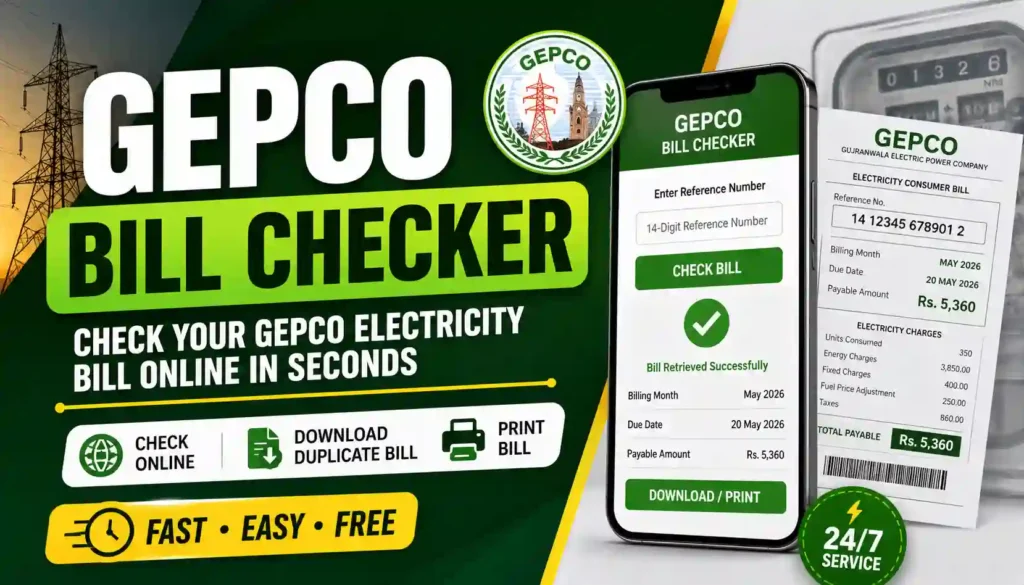
That’s exactly why our GEPCO Bill Checker on Apk eSim was built. It’s a simple, fast, and free way to view your electricity bill without leaving your home. You don’t need to stand in long queues or visit a GEPCO office just to know how much you owe this month.
With a working internet connection and your bill’s reference number, you can check, download, and even print your bill in less than a minute. This guide walks you through everything you need to know — from required documents to step-by-step instructions, benefits, and frequently asked questions.
What Is GEPCO?
Gujranwala Electric Power Company (GEPCO) is one of the major electricity distribution companies operating in Punjab, Pakistan. It supplies power to millions of consumers across several districts and plays an important role in the country’s electricity distribution network.
Like other DISCOs (Distribution Companies) in Pakistan, GEPCO issues monthly electricity bills based on meter readings. These bills include:
- Current month’s units consumed
- Payment due date
- Peak and off-peak usage details
- Taxes and surcharges
- Previous bill history
Checking this information online saves time and helps you avoid late payment surcharges or unexpected disconnection notices.
How Our GEPCO Bill Checker Works
Our tool is designed to be simple even for people who aren’t tech-savvy. Here’s how it works:
Step-by-Step Process
- Visit the GEPCO Bill Checker tool on Apk eSim.
- Locate your 14-digit Reference Number. This number is printed at the top of your physical GEPCO bill, usually labeled “Reference” or “Reference No.”
- Enter the number carefully into the input field. Make sure there are no extra spaces or symbols.
- Click on “Check Bill.”
- Your latest GEPCO bill details will appear on the screen within seconds.
- You can download it as a PDF, save it as an image, or print it directly.
That’s it — no login, no signup, and no waiting in line.
Required Documents & Information
Unlike opening a new connection, checking your bill online doesn’t require heavy paperwork. Here’s a simple breakdown:
For Checking Your Bill Online
| Requirement | Needed? | Notes |
|---|---|---|
| 14-digit Reference Number | ✅ Yes | Printed on your physical bill |
| 10-digit Customer ID | Optional | Alternative to reference number |
| CNIC Number | ❌ Not required | GEPCO does not support CNIC-based bill checking online |
| Internet Connection | ✅ Yes | Needed to access the tool |
| Smartphone or Computer | ✅ Yes | Any device with a browser works |
For New Connection Applications (Separate Process)
If you’re applying for a new electricity connection, GEPCO typically requires:
- Copy of CNIC (Computerized National Identity Card)
- Proof of property ownership or tenancy agreement
- Passport-size photographs
- Application form (available at GEPCO offices or their official website)
Keep in mind, this document list is only for new connections — not for checking an existing bill.
Benefits of Using an Online GEPCO Bill Checker
Switching from paper bills to digital checking comes with several practical advantages:
- Saves time: No need to visit a GEPCO office or wait for postal delivery.
- Available anytime: Check your bill at midnight or during a lunch break — it’s available 24/7.
- Avoid late fees: Knowing your due date in advance helps you pay on time.
- Easy record keeping: Download and store your bills digitally instead of keeping paper copies.
- Accessible anywhere: Whether you’re at home, at work, or traveling, you can check your bill from any device.
- Environment-friendly: Reduces dependency on printed paper bills.
- Helpful for budgeting: Reviewing your consumption pattern helps you plan your monthly expenses better.
Note: These are general informational benefits of digital bill checking. Actual billing amounts, due dates, and account details always come directly from GEPCO’s official billing system.
Understanding Your GEPCO Bill Details
Once your bill appears, you’ll typically see the following sections:
Key Information Shown on Your Bill
- Reference Number & Customer ID
- Billing Month
- Units Consumed (current and previous)
- Amount Payable
- Due Date
- Payment Status (paid or pending)
- Meter Reading Date
- Taxes and Surcharges (if any)
Peak Hours vs Off-Peak Hours
Electricity demand isn’t the same throughout the day. During peak hours — typically evenings in summer when air conditioners and other appliances are heavily used — electricity usage and rates can differ from off-peak hours. Reviewing this section of your bill helps you understand where most of your consumption is happening.
Common Reasons Your Bill Might Not Appear
Sometimes users face issues while checking their bill. Here are a few common reasons:
- Incorrect reference number entered (check for missing or extra digits)
- Spaces or special characters accidentally included
- Selected wrong input type (Reference Number vs Customer ID)
- Bill not yet generated for the current month
- Temporary server delay from the billing system
If your bill shows “Not Found,” simply double-check your reference number and try again.
Tips to Manage Your Electricity Bill Better
- Track your usage monthly to spot unusual spikes in consumption.
- Turn off unused appliances during peak hours to manage costs.
- Set a reminder a few days before your due date.
- Consider solar panels if you want to reduce long-term dependency on grid electricity (subject to your own research and budget).
- Keep digital copies of your last 3–6 months’ bills for easy reference.
GEPCO Contact Details
If you face any issue that our online tool cannot resolve, you can directly contact GEPCO through the details below:
| Contact Type | Details |
|---|---|
| Head Office Address | 565/A Grand Trunk Rd., Industrial Estate Model Town, Gujranwala, Punjab 52250 |
| Helpline Numbers | +92-55-9200504, +92-55-9200516, +92-55-9200592 |
| Meter Reading via SMS | Send your 14-digit Reference Number to 0333030111 |
| Complaint System | GEPCO e-Complaint (available on official GEPCO website) |
| Official Website | gepco.pk |
Why Choose Apk eSim for Your GEPCO Bill Checker?
At Apk eSim, our goal is to make everyday digital tasks simpler for everyone. Our GEPCO Bill Checker tool is:
- 100% free to use — no hidden charges
- Fast and lightweight — works smoothly even on slow internet
- Mobile-friendly — designed for smartphones as much as desktops
- Simple interface — no confusing steps or unnecessary clicks
- Regularly updated — to keep up with any changes in the billing process
We built this tool because we understand how important it is to stay updated on your monthly expenses without unnecessary hassle. Whether you’re a student, a working professional, or a business owner, checking your GEPCO bill should never feel complicated.
👉 Try it now on our homepage: https://apkesim.com/
Internal & External Resources
- Internal Link: Explore more helpful tools and guides on our homepage: https://apkesim.com/
- External Link: For official billing matters, always refer to GEPCO’s official website: https://gepco.pk/
Our tool is designed to make the checking process easier, but for any official disputes, complaints, or account changes, GEPCO’s official channels remain the right point of contact.
Frequently Asked Questions (FAQs)
1. What is a GEPCO Bill Checker?
A GEPCO Bill Checker is an online tool that lets you view your electricity bill by entering your reference number, without visiting a GEPCO office.
2. Do I need to create an account to check my GEPCO bill online?
No. Our tool doesn’t require any signup, login, or personal account creation. Just enter your reference number and check your bill instantly.
3. Where can I find my 14-digit GEPCO reference number?
It’s printed at the top of your physical electricity bill, usually labeled “Reference” or “Reference No.”
4. Can I check my GEPCO bill using my CNIC number?
No, currently GEPCO does not support checking bills using a CNIC number. You’ll need your reference number or customer ID.
5. Is checking my GEPCO bill online free?
Yes, checking your bill through our tool is completely free of cost.
6. Can I download or print my GEPCO bill after checking it?
Yes, once your bill appears, you can download it as a PDF, save it as an image, or print it directly.
7. What should I do if my bill shows “Not Found”?
Double-check that you’ve entered the correct reference number without spaces or extra characters, and make sure you’ve selected the right input type.
8. Can I check previous months’ GEPCO bills too?
Some billing systems show a billing history chart on the generated bill. For older records, it’s best to check GEPCO’s official portal or contact their helpline.
9. Is this tool available on mobile phones?
Yes, our GEPCO Bill Checker is fully mobile-friendly and works smoothly on smartphones, tablets, and desktops.
10. What if I have a complaint about my bill amount?
For billing disputes or complaints, please contact GEPCO directly through their official complaint system or helpline numbers listed above.
Final Thoughts & Call to Action
Checking your electricity bill shouldn’t be a stressful, time-consuming task. With our GEPCO Bill Checker tool, you get instant access to your billing details — anytime, anywhere, completely free of cost.
Whether you’re trying to avoid a late payment surcharge, keep track of your monthly consumption, or simply prefer digital convenience over paper bills, our tool has you covered.
Ready to check your GEPCO bill in seconds? Head over to Apk eSim right now and explore our full range of helpful tools designed to make your everyday digital tasks easier and faster. Don’t forget to bookmark our site so you never have to search for it again!