Use our free LESCO Bill Checker to view, download, and print your electricity bill online in minutes. Fast, simple, and mobile-friendly — no login needed.
Waiting for your paper electricity bill to arrive can be stressful, especially when the due date is close. A LESCO Bill Checker is a simple online tool that lets you view your Lahore Electric Supply Company (LESCO) bill without visiting an office or waiting for the postman.
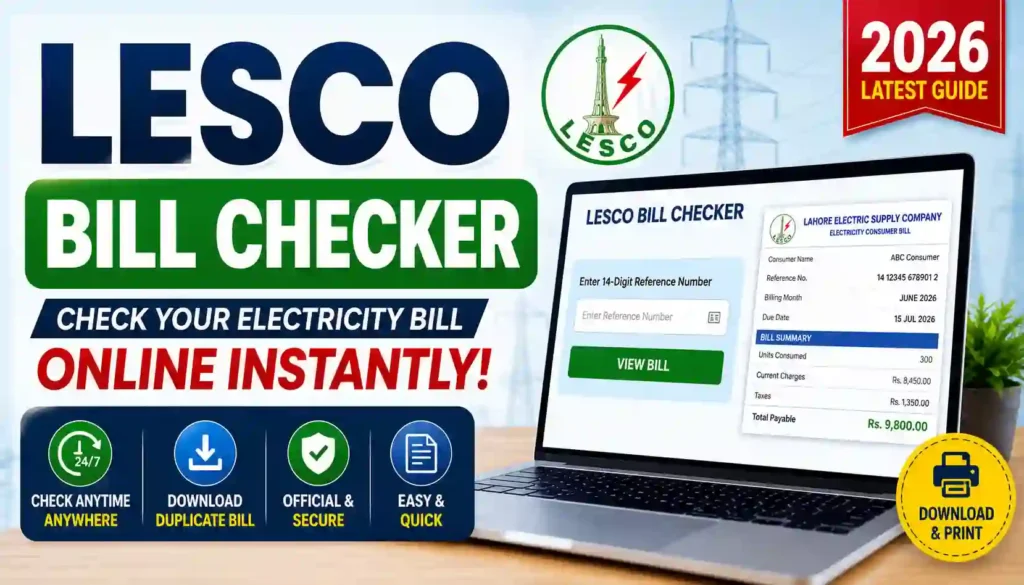
With just your reference number or customer ID, you can pull up your bill details in a few taps — right from your phone, tablet, or laptop. At Apk eSim, our LESCO Bill Checker tool is built to make this process quick, clear, and hassle-free for everyone in Lahore, Kasur, Okara, Sheikhupura, and Nankana.
You can try it directly here: apkesim.com
Let’s walk through everything you need to know about checking your LESCO bill online — what it is, what you need, how it helps, and where to go if you need official support.
Basic Information Table
| Detail | Information |
|---|---|
| Tool Name | LESCO Bill Checker |
| Provided By | Apk eSim |
| Website | https://apkesim.com/ |
| Utility Company | Lahore Electric Supply Company (LESCO) |
| Service Area | Lahore, Kasur, Okara, Sheikhupura, Nankana |
| Required Info | 14-digit Reference Number or Customer ID |
| Cost | Free to use |
| Login Required | No |
| Device Compatibility | Mobile, Tablet, Desktop |
| Output Format | View online, download PDF, or print |
Why People Search for a LESCO Bill Checker
Millions of households and businesses across Lahore and nearby districts rely on LESCO for electricity. But paper bills sometimes get delayed, lost, or arrive late. This is where an online checker becomes genuinely useful.
Here are the most common reasons people look for this tool:
- Their physical bill hasn’t arrived yet, but the due date is near
- They lost or misplaced their last bill copy
- They want to double-check the amount before making a payment
- They need a duplicate copy for record-keeping or tax purposes
- They want to track usage and see if consumption is higher than usual
Instead of visiting a LESCO office and standing in line, checking your bill online takes less than a minute.
What You Need Before You Start
Before using any LESCO bill checking tool, it helps to have a couple of details ready. Don’t worry — this is not a long list.
Required Documents / Information
To check your bill successfully, you’ll need one of the following:
- Reference Number — a unique 14-digit number printed on your last electricity bill (usually top-left corner)
- Customer ID — a shorter identification number, also found on your old bill
That’s it. You don’t need your CNIC, meter number, or any physical documents to simply check your bill. These extra details are only needed for other services, like registering a complaint or applying for a new connection.
Tip: If you’ve completely lost your old bill and don’t remember your reference number, you can retrieve it through LESCO’s official CNIC lookup service on their government website.
How to Check Your LESCO Bill Online (Step-by-Step)
Here’s a simple breakdown of the process:
- Open the Tool — Visit apkesim.com on your phone or computer.
- Enter Your Details — Type in your 14-digit reference number or customer ID.
- Click “Check Bill” — The system fetches your latest billing record.
- View Your Bill — See your total amount, due date, units consumed, and billing month.
- Download or Print — Save it as a PDF or print it for your records.
No account creation, no waiting in queues, and no paperwork. Just enter your number and get your result.
Benefits of Using an Online LESCO Bill Checker
Checking your bill online offers real, practical advantages for everyday users. Here’s what makes it worth using:
- Saves time — No need to travel to a LESCO office or bank branch just to see your bill
- Available 24/7 — Check your bill any time, day or night, including holidays
- Mobile-friendly — Works smoothly on smartphones, which most people use daily
- Easy record-keeping — Download and store PDF copies for future reference
- Helps avoid late fees — Knowing your due date early helps you plan payments on time
- Useful for budgeting — Reviewing your bill regularly helps you track electricity usage patterns
- No cost involved — The checking service itself is free to use
These benefits make bill checking part of a simple monthly habit rather than a last-minute scramble.
Common Mistakes to Avoid
A few small errors can cause the tool to show no result or an incorrect one. Keep these points in mind:
- Double-check your reference number before submitting — one wrong digit means no result
- Avoid extra spaces when typing your number
- Use your most recent bill for the most accurate reference number
- Only trust the result shown for informational purposes; always confirm the final amount with your official bill before paying
How Bill Payments Usually Work
Once you’ve confirmed your bill amount, payment can be made through several common channels used across Pakistan, including:
- Mobile banking apps
- ATM machines
- Bank branches
- Mobile wallets like Easypaisa or JazzCash
- Authorized payment counters
Always confirm the exact amount and due date from your official bill before making any payment.
Contact Details Table
If you need direct support from LESCO for billing disputes, meter issues, or complaints, here are the official contact details:
| Contact Type | Details |
|---|---|
| Company Name | Lahore Electric Supply Company (LESCO) |
| Official Website | https://www.lesco.gov.pk |
| Helpline Number | 118 |
| Head Office Address | 22-A, Queen’s Road, Mozang Chungi, Lahore, Punjab |
| Regulator | NEPRA (National Electric Power Regulatory Authority) |
| Parent Organization | WAPDA |
For official billing disputes, meter reading errors, or new connection requests, it’s best to reach out directly through LESCO’s official website or helpline.
Internal and External Links
- Explore more tools: Visit our homepage at Apk eSim to check out other helpful utilities and services.
- Official Source: For government-verified billing data, visit the official LESCO website at https://www.lesco.gov.pk.
We always recommend cross-checking your final bill amount with LESCO’s official channels before making payments, especially for large or unusual charges.
Frequently Asked Questions (FAQs)
1. Is the LESCO Bill Checker free to use?
Yes, checking your LESCO bill online through our tool is completely free. There are no hidden charges for viewing or downloading your bill.
2. What information do I need to check my LESCO bill?
You only need your 14-digit reference number or your customer ID, both of which are printed on your previous electricity bill.
3. Can I check my LESCO bill without a reference number?
It’s difficult without one, but you can retrieve your reference number through LESCO’s official CNIC-based lookup service if you’ve lost your old bill.
4. Can I download my LESCO bill as a PDF?
Yes, once your bill appears on screen, you can download it as a PDF or print a physical copy for your records.
5. Is it safe to check my bill through third-party tools?
It’s generally safe as long as the tool only asks for your reference number or customer ID and does not request sensitive personal information like passwords or banking details.
6. How often is the bill data updated?
Bill data typically updates monthly, in line with LESCO’s regular billing cycle.
7. Can I check bills for commercial and industrial connections too?
Yes, the same reference number or customer ID system generally works across residential, commercial, and industrial connections.
8. What should I do if my bill amount looks incorrect?
If you notice a mistake in your bill, contact LESCO directly through their helpline (118) or official website to file a complaint.
Final Thoughts: Stay On Top of Your Electricity Bills
Checking your LESCO bill doesn’t need to be complicated or time-consuming. With a reliable online tool, you can view your bill, download it, and plan your payment — all within a few minutes, from anywhere.
Whether you’re managing bills for your home, shop, or office, staying updated on your electricity charges helps you avoid late fees and keeps your budgeting on track.
Ready to check your bill right now? Head over to Apk eSim and explore our full range of simple, easy-to-use online tools designed to make everyday tasks faster and stress-free. Don’t stop here — browse more helpful utilities on our website and bookmark us for next time!