Learn how the Punjab Vehicle Verification System works, what documents you need, and how to check your vehicle details online in minutes. Simple, step-by-step guide.
Buying or selling a car in Punjab can feel a little stressful, especially if you are not sure whether the vehicle is genuine, tax-paid, or free of legal issues. That’s exactly why the Punjab Vehicle Verification System was introduced. It gives every vehicle owner and buyer in Punjab a simple way to check important details online, without visiting any government office.
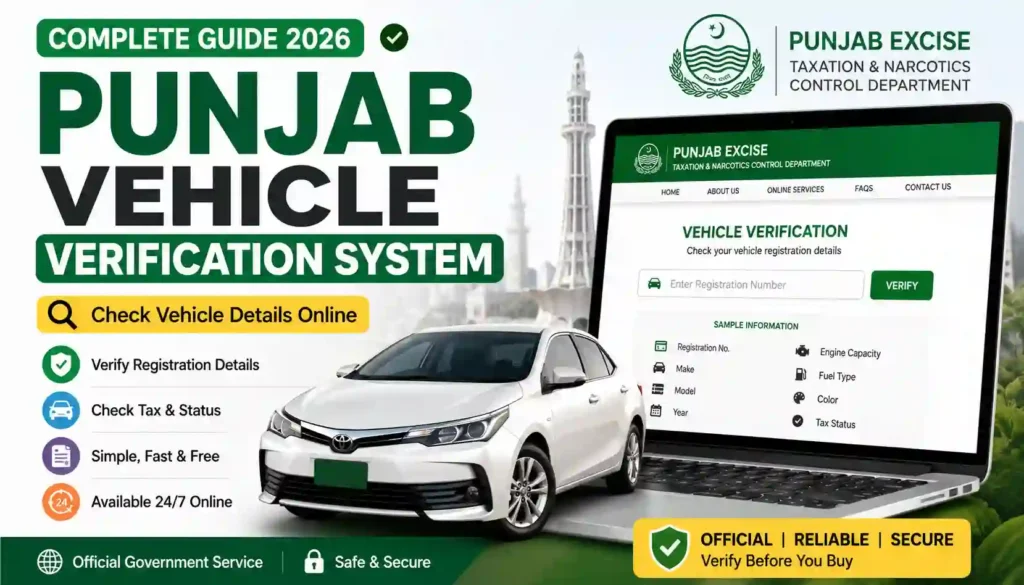
Whether you’re planning to buy a used car, transfer ownership, or just want to confirm your own vehicle’s record, this guide will walk you through everything you need to know in plain, easy language.
At Apk eSim, we like to keep things simple for our readers. So in this article, we’ll break down what the Punjab Vehicle Verification System is, how it works, what documents you need, its benefits, and answers to the most common questions people ask.
What Is the Punjab Vehicle Verification System?
The Punjab Vehicle Verification System, often linked with MTMIS Punjab (Motor Transport Management Information System), is an online platform that lets residents check details about any vehicle registered in the province. It is managed by the Excise, Taxation and Narcotics Control Department, Government of Punjab.
In simple words, this system allows you to:
- Confirm a vehicle’s registration status
- Check the owner’s basic details
- View the vehicle’s make, model, and chassis number
- See the token tax payment status
- Track an ongoing registration or transfer application
This service is especially useful for people who want peace of mind before making a big financial decision, like purchasing a second-hand car or bike.
Basic Information Table
Here’s a quick overview of the Punjab Vehicle Verification System for easy reference:
| Detail | Information |
|---|---|
| Service Name | Punjab Vehicle Verification System (MTMIS Punjab) |
| Managed By | Excise, Taxation & Narcotics Control Department, Punjab |
| Purpose | Online verification of vehicle registration, ownership, and tax status |
| Applicable Region | Punjab province, Pakistan |
| Access Mode | Website and SMS |
| Verification Methods | Registration number, chassis number, or CNIC |
| Cost | Free for basic verification |
| Availability | 24/7 online access |
Why Vehicle Verification Matters
Vehicle fraud is a real concern in the used car market. Some sellers try to hide unpaid taxes, disputed ownership, or mismatched chassis numbers. That’s where verification steps in as a safety net.
Here’s why checking your vehicle details online is a smart move:
- It helps confirm that the seller is the legal owner
- It shows whether token tax has been paid or is still pending
- It reduces the chances of buying a stolen or disputed vehicle
- It gives buyers and sellers a shared, transparent record to rely on
How the Verification Process Works
The process is designed to be quick and beginner-friendly. Here’s a general step-by-step idea of how it usually works:
- Visit the official verification portal.
- Enter the vehicle’s registration number (or chassis number, depending on the method).
- Complete the CAPTCHA to confirm you’re not a bot.
- Submit the details and wait a few seconds.
- View the results, which typically include the vehicle’s make, model, registration status, and tax information.
Some systems also allow verification through SMS by sending the registration number to a designated short code, which is handy if you don’t have internet access at the moment.
Required Documents
If you’re not just checking a vehicle but also applying for related services like registration, transfer of ownership, or a smart card, you will usually need to prepare a few documents. While requirements can vary slightly by district office, here’s a general list of what is commonly asked for:
| Document | Purpose |
|---|---|
| CNIC (Computerized National Identity Card) | To confirm the applicant’s identity |
| Original Sale Receipt / Registration Book | Proof of vehicle ownership |
| Vehicle Chassis and Engine Number Details | To match records in the system |
| Passport-size Photographs | Required for certain applications |
| Proof of Address | Sometimes needed for ownership transfer |
| Token Tax Payment Receipt | To confirm tax status is up to date |
Tip: Always keep both digital and physical copies of these documents handy, since some processes may ask for online uploads while others require in-person submission.
Benefits of Using the Punjab Vehicle Verification System
Let’s look at some general benefits that make this system useful for everyday people. (These are general observations, not guaranteed outcomes, since actual features can be updated by the department from time to time.)
- Saves time: No need to travel to an Excise office just to confirm basic vehicle details.
- Adds transparency: Buyers and sellers both get access to the same information.
- Supports informed decisions: You can check a vehicle’s tax and registration status before finalizing a deal.
- Available anytime: Since it’s an online service, you’re not limited to office hours.
- Helps track applications: If you’ve applied for registration or a transfer, you can follow its progress online.
- Encourages a safer used-car market: With more visibility into vehicle history, fraud becomes harder to pull off.
Common Issues People Face (And Simple Fixes)
Even simple systems can have small hiccups. Here are a few common issues and general tips to handle them:
| Issue | Suggested Fix |
|---|---|
| Registration number not found | Double-check the format (with or without dashes) and try again |
| Application status not updating | Wait 24–48 hours, as updates may take time to reflect |
| Chassis number mismatch | Visit your local Excise office with original documents |
| Website not loading | Try a different browser or check your internet connection |
Who Can Use This System?
This service is generally meant for:
- Vehicle owners who want to confirm their own registration details
- Buyers who want to verify a used vehicle before purchase
- Sellers who want to show proof of clean records to potential buyers
- Dealers who verify multiple vehicles as part of their business
Contact Details Table
If you ever need direct assistance beyond the online portal, here are some general contact options you can explore:
| Contact Type | Details |
|---|---|
| Relevant Department | Excise, Taxation & Narcotics Control Department, Punjab |
| Service Type | Vehicle Verification & Registration |
| Recommended Action | Visit your nearest District Excise & Taxation Office for in-person queries |
| Online Support | Check the official department website for updated helpline numbers |
Note: Contact numbers and office timings can change, so it’s always a good idea to confirm the latest details directly through the official government website before visiting.
Helpful Links
- 🔗 Internal Link: Explore more helpful guides at Apk eSim
- 🔗 External Link: For official verification, always use the government’s official portal: https://mtmis.excise.punjab.gov.pk/
Using the official website ensures you’re getting accurate, up-to-date, and secure information rather than relying on unofficial or third-party sources.
Frequently Asked Questions (FAQs)
1. Is the Punjab Vehicle Verification System free to use? Yes, basic verification through the official portal is generally free of charge. Some related services, like applying for a smart card, may involve a separate government fee.
2. Can I verify a vehicle using just the chassis number? In most cases, yes. The system usually allows verification through either the registration number or the chassis number, depending on what information you have available.
3. Does this system work for vehicles registered outside Punjab? No. This system is specifically designed for vehicles registered within Punjab. Other provinces, like Sindh, and cities like Islamabad, have their own separate verification portals.
4. What should I do if my vehicle details don’t show up? Try checking the registration number format first. If the issue continues, it’s best to visit your local Excise and Taxation office with your original documents for manual verification.
5. Is online vehicle verification enough before buying a used car? It’s a great first step and adds a good layer of safety, but it’s still wise to physically inspect the vehicle and cross-check documents in person before finalizing any purchase.
6. How often should I check my vehicle’s verification status? There’s no fixed rule, but it’s a good habit to check whenever you’re renewing your token tax, planning to sell your vehicle, or simply want to confirm your records are accurate.
Final Thoughts
The Punjab Vehicle Verification System makes life easier for both vehicle owners and buyers by putting essential information just a few clicks away. Whether you’re confirming your own car’s details or double-checking a vehicle before purchase, this tool adds a layer of confidence to the process.
If you found this guide helpful, don’t stop here! Head over to Apk eSim to explore more easy-to-understand guides on digital services, verification tools, and everything you need to stay informed. Your next useful read is just a click away!