Use our free QESCO Bill Checker to view, download, and print your QESCO electricity bill online instantly. Just enter your reference number and check your bill in seconds.
Paying electricity bills used to mean waiting for a paper copy in the mail or standing in a long line at a QESCO office. Not anymore.
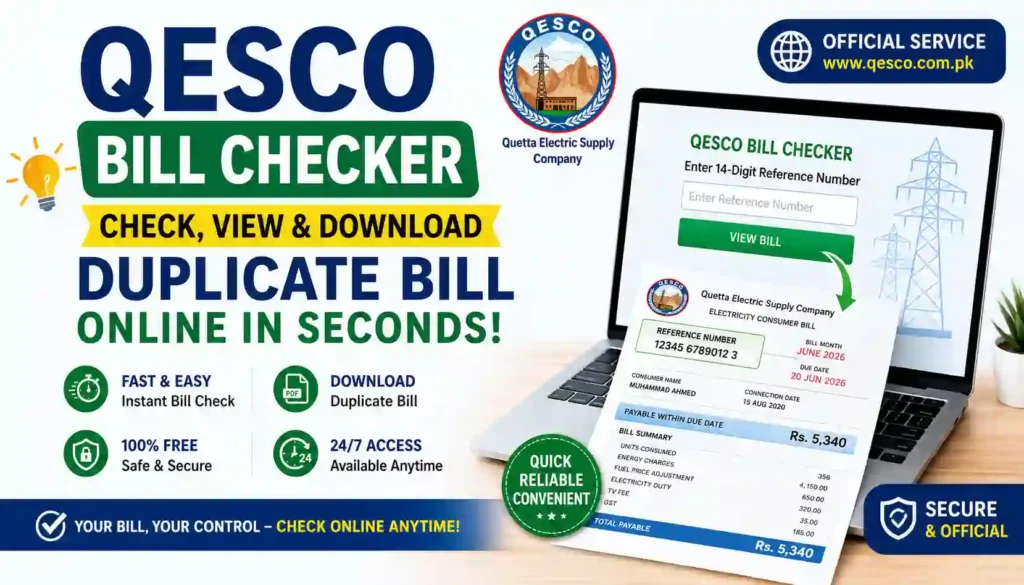
The QESCO Bill Checker is a simple online tool that lets you view your Quetta Electric Supply Company (QESCO) electricity bill from your phone or computer, anytime you want. Whether your paper bill got lost, arrived late, or you simply want to double-check your due amount, this tool gives you instant access.
QESCO is the electricity distribution company that supplies power to most of Balochistan, including Quetta, Khuzdar, Turbat, Gwadar, Kalat, Zhob, Mastung, and many other districts. Like other WAPDA-linked DISCOs in Pakistan, QESCO now supports online bill checking so customers don’t have to depend only on printed bills.
With the QESCO Bill Checker on Apk eSim, you can:
- Check your current bill amount
- See your due date clearly
- Download or print a duplicate copy
- Confirm whether your last bill was paid
It’s fast, free, and doesn’t require any signup or app download.
Quick Facts: QESCO Bill Checker at a Glance
| Detail | Information |
|---|---|
| Tool Name | QESCO Bill Checker |
| Provided By | Apk eSim |
| Service Type | Free Online Electricity Bill Checking Tool |
| Company Covered | Quetta Electric Supply Company (QESCO) |
| Region Covered | Balochistan, Pakistan |
| Required Info | 14-digit Reference Number or Consumer ID |
| Registration Needed | No |
| Cost | Free |
| Availability | 24/7 online access |
| Website | https://apkesim.com/ |
How to Check Your QESCO Bill Online
Checking your bill through this tool takes less than a minute. Here’s the step-by-step process:
- Find your Reference Number. Look at the top or corner of your last paper bill. It’s a 14-digit number.
- Visit the QESCO Bill Checker on Apk eSim.
- Enter your Reference Number or Consumer ID in the given box.
- Click “Check Bill.”
- View your bill details — including amount due, due date, and billing month.
- Download or print the bill for your records or for payment purposes.
That’s it. No complicated steps, no waiting on hold with customer support.
Where to Find Your Reference Number
If you’re not sure where to look, here’s a simple breakdown of what the 14-digit reference number usually represents:
| Digits | Meaning |
|---|---|
| First 2 digits | Batch number |
| Next 4 digits | Subdivision code |
| Remaining 7 digits | Your account number |
If you don’t have your old bill handy, you can also try your Consumer ID, which some versions of the checker accept as an alternative.
Required Documents / Information
You don’t need a stack of paperwork to use this tool. Here’s what you actually need:
- Your 14-digit Reference Number (found on any previous QESCO bill)
- OR your Consumer ID / Account Number, if available
- A device with internet access (phone, tablet, or computer)
That’s really it. There’s no CNIC upload, no ID verification, and no account creation required just to view your bill.
Note: If you ever need to make official changes to your account (like updating ownership details or applying for a new connection), QESCO’s own offices will typically ask for your CNIC copy, proof of ownership or tenancy, and previous bill copies. But for simply checking your bill online, none of that is needed.
Benefits of Using an Online QESCO Bill Checker
Here’s why so many people in Balochistan now prefer checking their bills online instead of waiting for the postman:
- Saves Time: No need to visit a QESCO office or wait for the mail.
- Available Anytime: Check your bill at 2 AM or during a lunch break — it’s open 24/7.
- Free to Use: No hidden charges just to view or download your bill.
- Helpful for Lost Bills: If your paper bill is misplaced, you can get a duplicate copy instantly.
- Avoid Late Fees: Seeing your due date clearly helps you pay on time and avoid penalties.
- Track Payment Status: Quickly confirm if your previous bill was cleared or is still pending.
- Useful for Record-Keeping: Download and save PDF copies for tax records, rent proof, or personal budgeting.
- Good for Remote Areas: Customers living far from Quetta or district offices don’t have to travel just to get a bill copy.
Balochistan covers a huge and spread-out area, so a simple online tool like this genuinely makes life easier for people who don’t live close to a QESCO service center.
Common Questions People Have Before Checking Their Bill
What if my bill amount looks higher than usual?
This can happen for a few reasons — a change in your meter reading, seasonal usage (like more electricity use in summer for cooling), or a billing adjustment from a previous month. If the amount still seems wrong after checking your meter reading, it’s best to contact QESCO’s helpline or visit your local office for clarification.
Can I pay my bill directly through the checker?
The QESCO Bill Checker tool is mainly for viewing and downloading your bill. For payment, you can generally use:
- Bank apps or ATMs
- Mobile wallets like JazzCash or Easypaisa
- Authorized bank branches
- QESCO customer service centers
Is my information safe when I check my bill online?
Yes. You only need a reference number to view your bill — this is the same information printed on your physical bill, so no sensitive personal data is required for the checking process itself.
Contact Details Table
If you run into an issue that the online tool can’t solve — like a billing dispute, meter complaint, or new connection request — here’s how to reach QESCO directly:
| Contact Type | Details |
|---|---|
| Company Name | Quetta Electric Supply Company (QESCO) |
| Official Website | https://qesco.pk/ |
| Head Office Location | Quetta, Balochistan, Pakistan |
| Service Area | Quetta, Khuzdar, Turbat, Gwadar, Kalat, Zhob, Mastung, and other Balochistan districts |
| Customer Support | Available via QESCO’s official helpline and local subdivision offices |
| Complaint Handling | Nearest QESCO subdivision office |
For the most accurate and updated contact numbers, always refer to QESCO’s official website: https://qesco.pk/
Why Use Apk eSim’s QESCO Bill Checker?
There are several bill-checking pages online, so what makes this one worth using?
- Simple, clean interface — no clutter, no confusing steps
- Mobile-friendly design — works smoothly on any phone screen
- No registration hassle — just enter your number and go
- Quick loading — get your bill details without long wait times
- Completely free — no subscription or hidden fee
Whether you’re a homeowner, a shopkeeper, or managing a small business connection, this tool is built to make bill-checking simple for everyone — no tech experience needed.
Frequently Asked Questions (FAQs)
1. Is the QESCO Bill Checker free to use? Yes, checking your QESCO bill online through this tool is completely free. You won’t be charged for viewing or downloading your bill.
2. Do I need to create an account to check my QESCO bill? No. You just need your 14-digit reference number or consumer ID — no signup or login required.
3. What if I don’t know my QESCO reference number? Check any of your old paper bills; the number is usually printed clearly at the top. If you can’t find one, contact your nearest QESCO office for help.
4. Can I download my QESCO bill as a PDF? Yes, once your bill loads, you can usually save or print it as a PDF copy for your records.
5. How often is the QESCO bill information updated? Bill details are generally updated monthly, matching QESCO’s regular billing cycle.
6. Is this tool an official QESCO service? This is an independent online bill-checking tool that fetches your bill using your reference number. For official account changes or complaints, always contact QESCO directly through their official website.
7. What should I do if my QESCO bill shows an incorrect amount? Compare it with your meter reading first. If there’s still a mismatch, reach out to QESCO customer support or visit your local subdivision office.
Final Thoughts + Call to Action
Checking your electricity bill shouldn’t feel like a chore. With the QESCO Bill Checker, you get a fast, free, and simple way to stay on top of your electricity payments — no matter where you are in Balochistan.
Don’t wait for a paper bill that might get lost or delayed. Check your QESCO bill online today and stay ahead of your due dates.
👉 Ready to explore more useful tools like this? Visit Apk eSim now to discover more helpful digital services designed to make your everyday tasks simpler and faster!