Use our free SEPCO Bill Checker to view and download your Sukkur Electric Power Company bill online in seconds. Fast, simple, and available 24/7.
Paying an electricity bill should not feel like a chore. Yet every month, thousands of people across Sukkur and the surrounding areas of upper Sindh find themselves searching for their paper bill, calling the local office, or standing in a long queue just to know how much they owe.
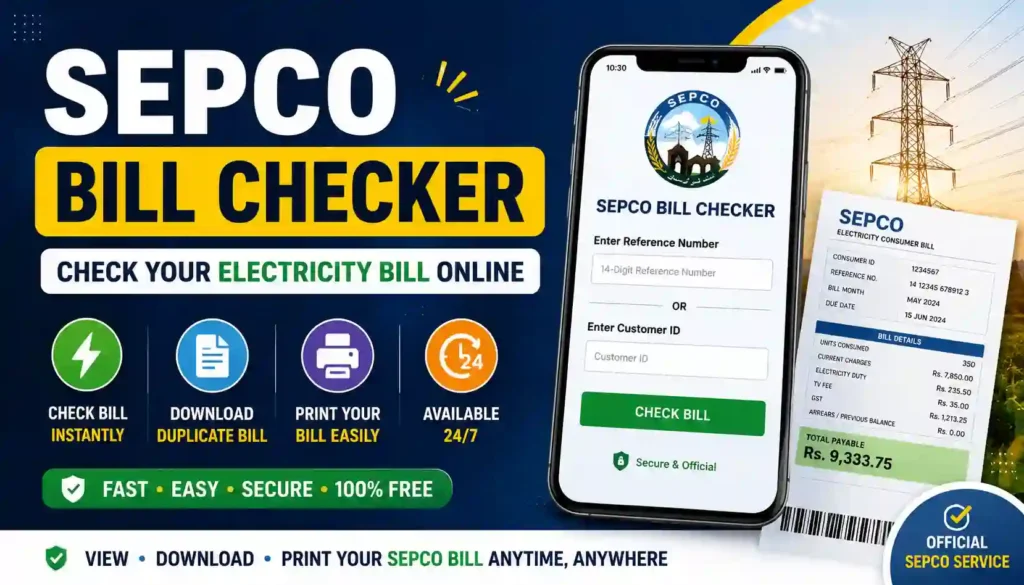
That’s exactly the problem our SEPCO Bill Checker tool solves.
The SEPCO Bill Checker is a free online tool on Apk eSim that lets you check your Sukkur Electric Power Company (SEPCO) electricity bill within seconds. All you need is your reference number or consumer ID, and you can instantly view your bill amount, due date, and payment status — right from your phone or computer.
No login. No waiting in line. No confusion.
SEPCO is the electricity distribution company responsible for supplying power to Sukkur and several districts of upper Sindh, serving millions of domestic, commercial, and agricultural consumers. Because the region covers such a large area, many people struggle to get quick access to their billing details. Our tool bridges that gap by giving you instant, easy access to your bill information whenever you need it.
Whether you’re a homeowner checking this month’s charges, a shopkeeper tracking your commercial connection, or someone helping a family member manage their bill, this tool is built to make the process simple for everyone — regardless of technical skill.
Why People Struggle With SEPCO Bill Payments
Before we get into how the tool works, let’s look at why so many people find bill-checking frustrating in the first place:
- Paper bills get lost or delayed during delivery
- Long queues at SEPCO offices waste time
- People forget their due dates, leading to late fees
- Reference numbers are hard to read or remember
- Rural consumers may not have easy access to a nearby office
Our SEPCO Bill Checker removes these pain points by putting the information directly in your hands, anytime you need it.
Basic Information Table
Here’s a quick snapshot of everything you need to know about this tool:
| Detail | Information |
|---|---|
| Tool Name | SEPCO Bill Checker |
| Website | Apk eSim |
| Tool URL | https://apkesim.com/ |
| Utility Covered | Sukkur Electric Power Company (SEPCO) |
| Service Area | Sukkur and upper Sindh districts |
| Cost to Use | Free |
| Login Required | No |
| Information Needed | Reference number or Consumer ID |
| Device Compatibility | Mobile, tablet, and desktop |
| Availability | 24/7 online access |
How the SEPCO Bill Checker Works
Using the tool is designed to be as simple as possible. Here’s the general process:
- Visit the tool on Apk eSim
- Enter your reference number (usually 14 digits) or your Consumer ID (usually 10 digits)
- Click the check/search button
- View your bill details, including the amount payable and due date
- Download or print your bill copy if needed
That’s it — no forms to fill, no account to create.
Where to Find Your Reference Number
If you’re not sure where your reference number is, check the bottom-left corner of any previous SEPCO paper bill. It’s usually printed clearly and stays the same from month to month, so once you have it, you can reuse it every billing cycle.
Required Documents / Information
Unlike applying for a new connection, checking your bill doesn’t require piles of paperwork. Here’s what you’ll actually need:
| Requirement | Purpose |
|---|---|
| Reference Number (14-digit) | Primary way to fetch your bill |
| Consumer ID (10-digit) | Alternative option if reference number is unavailable |
| Old SEPCO bill copy (optional) | Helps locate your reference number if you’ve misplaced it |
| Internet connection | To access the online tool |
| Mobile or computer | To view and download your bill |
That’s it. There’s no need for a CNIC, proof of address, or any other formal documentation just to check your bill.
Benefits of Using an Online SEPCO Bill Checker
Let’s talk about why more people are switching from paper bills to online checking tools.
Saves Time
Instead of visiting an office or waiting for a postal delivery, you get your bill details in seconds.
Reduces Late Payments
When you can check your due date instantly, it’s easier to plan your payment and avoid late fees.
Access From Anywhere
Whether you’re at home, at work, or traveling, you can check your bill as long as you have internet access.
Easy Record Keeping
You can download or print a copy of your bill for personal records, tax purposes, or future reference.
Helpful for Families
If you’re managing bills for elderly parents or relatives who aren’t comfortable with technology, you can check and print bills on their behalf.
No Technical Skills Needed
The interface is designed to be beginner-friendly, so even first-time internet users can navigate it without help.
Note: This tool is meant to make bill-checking convenient. For actual bill payments, disputes, or account changes, you should always refer to SEPCO’s official channels.
Who Can Use This Tool?
This tool is useful for a wide range of consumers, including:
- Households checking their monthly domestic electricity bill
- Shop owners tracking commercial billing
- Farmers with agricultural or tube-well connections
- Tenants who need bill details for shared accommodation
- Family members managing bills for relatives living elsewhere
No matter which category you fall into, the process of checking your bill remains the same and equally simple.
Common Issues Consumers Face (And How to Handle Them)
Even with a reliable online checker, a few common questions come up regularly:
| Issue | What It Usually Means |
|---|---|
| Bill shows higher amount than expected | Could include unpaid arrears, seasonal usage increase, or added surcharges |
| Reference number not working | Double-check for typing errors or try the Consumer ID instead |
| Bill status shows “unpaid” after payment | Payment records can take time to update; wait 24–48 hours before rechecking |
| Can’t find reference number | Check your most recent paper bill in the bottom-left section |
If any issue persists, it’s best to contact SEPCO directly through their official customer service channels, since our tool is only meant to help you view your bill, not resolve billing disputes.
Contact Details Table
If you need to reach SEPCO directly for account issues, complaints, or connection matters, here are the general contact details:
| Contact Type | Details |
|---|---|
| Head Office | Thermal Power Station, Old Sukkur, Sindh, Pakistan |
| Regional Customer Service Center | Minara Road, Sukkur |
| Regulatory Body | NEPRA (National Electric Power Regulatory Authority) |
| Official Website | www.sepco.com.pk |
| Service Area | Sukkur, Khairpur, Ghotki, Larkana, Shikarpur, Jacobabad, Kashmore, and nearby districts |
For the most accurate and updated helpline numbers, always refer to the official SEPCO website, as contact details can change over time.
Internal & External Links
- To explore more helpful tools like this one, visit our homepage: Apk eSim
- For official and verified SEPCO information, visit the official website: https://sepco.com.pk/
We always recommend cross-checking important billing decisions with the official SEPCO portal, especially when it comes to payments or complaints.
Frequently Asked Questions (FAQs)
1. Is the SEPCO Bill Checker free to use? Yes, checking your bill through this tool is completely free. There are no hidden charges.
2. Do I need to create an account to check my bill? No account or login is required. You just need your reference number or Consumer ID.
3. Can I check someone else’s SEPCO bill? Yes, as long as you have their reference number or Consumer ID, you can view and download their bill on their behalf.
4. What if I lost my SEPCO reference number? You can use your 10-digit Consumer ID instead, or check an older bill copy where the reference number is usually printed.
5. Does this tool let me pay my SEPCO bill directly? No, this tool is designed for checking your bill only. For payments, please use SEPCO’s official payment channels, bank branches, or mobile wallets.
6. How often is the bill information updated? Bill details are generally updated on a monthly cycle, matching SEPCO’s official billing schedule.
7. Is my personal information safe when using this tool? The tool only requires your reference number or Consumer ID to fetch publicly available bill details — no sensitive personal data is required to check your bill.
8. Can I use this tool on my mobile phone? Yes, the SEPCO Bill Checker is fully mobile-friendly and works smoothly on phones, tablets, and computers alike.
Final Thoughts: Make Bill-Checking Simple
Checking your electricity bill shouldn’t take up your entire afternoon. With the SEPCO Bill Checker on Apk eSim, you get quick, hassle-free access to your billing information — whenever and wherever you need it.
Say goodbye to lost paper bills, long queues, and last-minute payment surprises. Just enter your reference number, and you’re done.
Ready to check your bill? Head over to Apk eSim and explore this tool along with our other helpful utilities designed to make everyday tasks easier. While you’re there, take a moment to browse our other guides and tools — there’s a good chance we’ve built something that solves your next problem too!