If you’ve ever wanted to switch your mobile network without losing your phone number, or simply needed to check who a SIM is registered to, you’ve probably come across the 667 MNP service. It’s one of the most useful — and most misunderstood — short codes in Pakistan’s telecom system.
In this guide, we’ll explain exactly what the 667 MNP service is, how to use it step by step, what the SMS reply means, and how it fits into the full Mobile Number Portability (MNP) process for Jazz, Zong, Telenor, Ufone, and other networks. Whether you’re planning to port your number or just want to verify SIM ownership before buying a used phone, this guide covers everything you need.
What Is MNP and Why Does 667 Matter?
Mobile Number Portability (MNP) is a service regulated by the Pakistan Telecommunication Authority (PTA) that allows subscribers to switch from one mobile network operator to another — for example, from Jazz to Zong — while keeping their existing phone number. You don’t lose your contacts’ trust in your number, your WhatsApp history tied to that number, or the convenience of years of using the same digits.
The number 667 is the official SMS short code operated by the Pakistan Mobile Number Portability Database (PMD), the company jointly owned by the major telecom operators to manage porting requests. When you send a message to 667, the system pulls up the record tied to the SIM currently inserted in your phone and replies with key details needed to either port the number or confirm ownership.
In short: 667 is the starting point for almost every MNP request in Pakistan, and it’s also commonly used as a quick way to confirm whose name a SIM is registered under.
What Information Does the 667 Service Provide?
When you send the correct SMS to 667, you typically receive a reply containing:
- The registered owner’s name (as per PTA/operator records)
- A partially masked CNIC number (for privacy protection)
- The current network operator
- The SIM’s activation date
- Technical identifiers like ICCID/IMSI used internally for the porting process
This makes 667 useful for two main purposes: starting the formal MNP/porting process, and doing a quick sanity check on SIM ownership before you commit to switching networks or buying a second-hand SIM.
Step-by-Step: How to Use 667 MNP Service in Pakistan
Using the service is straightforward, but a few details trip people up — especially the difference between texting and calling. Here’s exactly how to do it correctly.
Step 1: Insert the SIM You Want to Check or Port
The 667 service only works for the SIM card that is currently active in your phone at the time you send the message. You cannot type someone else’s number and expect to receive their details — that capability doesn’t exist in the official system, and any website claiming otherwise is not using a legitimate PTA-backed method.
Step 2: Open Your SMS App (Not the Dialer)
This is the most common mistake people make. 667 must be used via SMS, not as a phone call. Dialing 667 will not return any information — you need to send a text message.
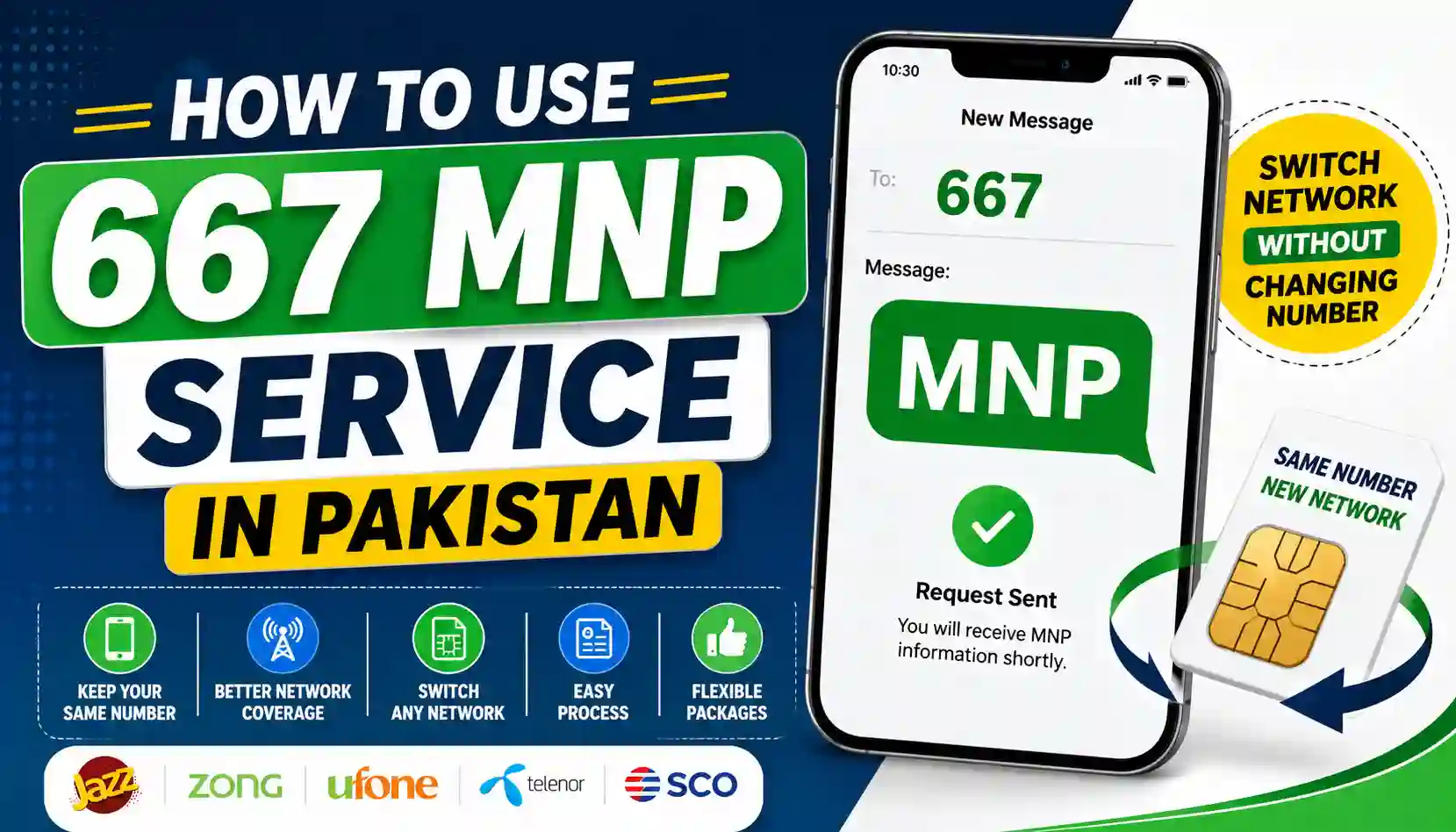
Step 3: Type “MNP” and Send It to 667
Open a new message, type the word MNP (uppercase or lowercase both work), and send it to 667. Standard SMS charges from your network operator may apply, though many operators don’t charge extra for this specific short code.
Step 4: Wait for the Reply SMS
Within a few seconds to a couple of minutes, you’ll receive an automated reply containing the SIM owner’s name, masked CNIC, current network, and activation date. If you’ve just bought a brand-new SIM, this data might not be available yet — in that case, you may see “Unknown” as the name until the registration syncs into the database.
Step 5: Use the Details for Your Next Step
What you do with this information depends on your goal:
- If you’re porting to a new network: forward the SMS details (or share the information) to your new operator’s franchise or the relevant short code (for example, Ufone uses 76333, Jazz uses 76300, Zong uses 76313, and Telenor uses 76345).
- If you’re verifying ownership: simply confirm the name matches who you expect — useful before buying a used SIM or linking it to mobile banking apps like JazzCash or Easypaisa.
Full MNP Porting Process (After You’ve Used 667)
Sending “MNP” to 667 is only the first step. To actually switch your network while keeping your number, you’ll need to complete the full porting process:
- Confirm eligibility. Your SIM must be active for a minimum period (usually 60–90 days) on the current network, have no outstanding dues, and carry at least a small balance for SMS purposes.
- Get your details via 667, as described above.
- Submit your request to the new operator, either by visiting their franchise in person with your original CNIC, or by forwarding your SIM details through their designated number.
- Complete biometric verification. Pakistani telecom regulations require fingerprint verification at the new operator’s outlet to confirm your identity matches the CNIC on record.
- Approve the port via confirmation SMS. You’ll receive a message asking you to reply “Y” to confirm you want to proceed. If your current operator sends a retention offer trying to keep you, you can still proceed with the port if you choose.
- Wait for activation. Porting typically completes within 4–24 hours after biometric verification, though more complex cases can take up to three working days. You’ll be told exactly when to insert your new SIM, and you should expect a short downtime window (often 30–90 minutes) during the actual switch.
How Much Does It Cost to Port Your Number via MNP?
Porting fees vary by operator and sometimes by promotional offers running at the time. As a general guide:
- Sending the SMS to 667 may incur standard SMS charges.
- Some operators charge a nominal porting fee (commonly cited around Rs. 100–550 depending on the operator and SIM type), while others run free porting promotions.
- You may also need to pay for a new SIM kit if your destination operator requires a fresh card.
It’s worth checking current promotions with your target operator before initiating the request, since telecom companies frequently waive fees to attract new customers.
Common Issues When Using the 667 MNP Service
Even though the process is simple, a few issues come up often:
No reply received. Restart your phone, make sure you have signal and SMS balance, and try again. If it still fails, contact your network’s customer support.
Name shown doesn’t match yours. This can happen if the SIM is registered under a family member’s name, if ownership changed recently, or if the SIM previously went through MNP and the record hasn’t fully updated. If you suspect a SIM you didn’t authorize is registered against your CNIC, you should investigate further — see our guide on how to check SIM owner details using your CNIC for the official verification methods.
“Unknown” name with placeholder CNIC. This typically means the SIM was activated very recently and the database hasn’t synced yet. Wait a few days and try again.
Confused 667 with other short codes. Pakistan has several SIM-related short codes — 667 for MNP-related verification of the SIM in your possession, and other codes used to check how many SIMs are registered against your own CNIC. Don’t confuse the two; they serve different purposes. For a broader comparison of these official verification tools, check our complete SIM information and ownership verification guide.
Safety Tips: Avoid Scams Around SIM Verification
Because SIM ownership and porting touch sensitive personal data, this space attracts a fair number of scam websites and apps claiming to “reveal” someone else’s SIM details by just entering a phone number. This is not how the legitimate PTA-backed system works.
To stay safe:
- Only use the official 667 short code via SMS, and only for the SIM currently in your own phone.
- Never share your CNIC number with third-party websites promising “reverse lookup” services.
- Avoid apps or sites outside PTA-authorized channels claiming to show full, unmasked personal details.
- Periodically check which SIMs are registered against your own CNIC to catch unauthorized registrations early — a common source of fraud in Pakistan.
- If you find a SIM registered under your CNIC that you didn’t authorize, report it through your operator’s fraud helpline or PTA’s complaint channels rather than trying to resolve it through unofficial means.
For more on protecting your identity from unauthorized SIM registrations, the Pakistan Telecommunication Authority (PTA) publishes official guidelines and complaint procedures worth bookmarking.
Frequently Asked Questions
Is the 667 MNP service free? The service itself is generally free or covered under standard SMS charges, depending on your operator’s policy. Actual porting to a new network may carry a separate fee.
Can I check someone else’s SIM details using 667? No. The service only returns information about the SIM currently active in the phone sending the message. It cannot be used to look up another person’s number remotely.
How long does porting take after using 667? Typically 4 to 24 hours after biometric verification and confirmation, though complex cases can take up to three working days.
Do my old bundles and balance carry over after porting? No. Existing bundles, balance, and loyalty points from your previous network do not transfer to the new operator. It’s a good idea to use up your remaining balance and bundles before initiating the port.
What should I do after my number is successfully ported? Test calls, SMS, mobile data, and VoLTE right away. You should also re-activate mobile banking apps, OTP-based services, and WhatsApp if they were tied to your number, since these sometimes need re-verification after a network switch.
Final Thoughts
The 667 MNP service is a simple but essential tool in Pakistan’s telecom ecosystem — whether you’re switching networks for better coverage and pricing, or just doing a quick ownership check before trusting a SIM. The key steps are easy to remember: insert the right SIM, send “MNP” as a text (not a call) to 667, read the reply carefully, and follow through with your chosen network’s porting process if you decide to switch.
Stay cautious of unofficial websites promising more than the real system can deliver, and always rely on PTA-authorized channels for anything involving your CNIC or SIM registration. For more verified guides on SIM ownership checks, CNIC-based SIM verification, and staying safe from telecom fraud in Pakistan, explore more resources on Sims Ownership.
This guide reflects standard MNP procedures and official short codes used by PTA-regulated telecom operators in Pakistan as of 2026. Processes and charges may vary slightly by operator — always confirm current details with your network’s official helpline before porting.